

Product · HMI / SCADA
HMI & SCADA Systems for Full Process Visibility
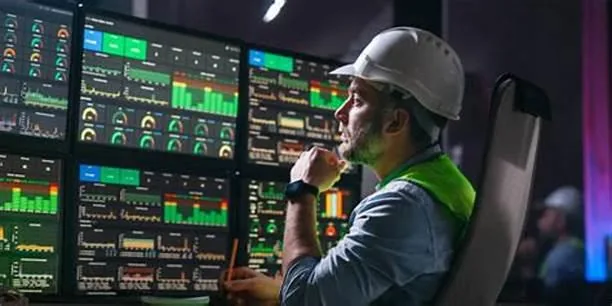
Operators can only act on what they can see. An HMI at the machine and a SCADA system across the plant turn raw PLC data into clear screens, timely alarms and historical trends that support faster, better decisions.
Overview
Sparsh Automation supplies HMI and SCADA systems as complete packages — hardware, software, network and the application itself — designed around the people who will use them every day.
In our brochure“User-friendly dashboards and supervisory control for full visibility.”
Already have HMI/SCADA hardware and licences and only need the application developed or modified? Go to HMI & SCADA programming
Capabilities
What our solution covers
Machine HMIs
Touch-panel HMIs for local control, parameter entry, diagnostics and alarms.
Plant SCADA
Supervisory systems that bring multiple PLCs and machines into one view with mimics, trends and alarm management.
Data logging & reports
Historical trends and production or utility reports from logged process values, scoped to your needs.
Networking
Communication between PLCs, HMIs and SCADA servers over suitable industrial protocols.
User management
Login levels so operators, supervisors and engineers see and change only what they should.
Typical deliverables
- System architecture including hardware and licence selection
- Screen navigation structure and graphic standards
- Configured HMI/SCADA application with tag database and alarms
- Network configuration and integration with existing controllers
- Testing, operator walkthrough and handover
Final scope and deliverables are agreed in the quotation for each requirement.
Typical applications
- Central monitoring of process lines and utilities
- Batch and recipe-driven processes
- Pump stations and water or effluent treatment
- Energy and utility monitoring
- Operator panels on OEM machines
Technical considerations
General engineering guidance to help you plan and specify.
- Who uses it
- Operators, supervisors and managers need different views. Defining users early produces cleaner screens.
- Tag count & licensing
- SCADA licences are often priced by tag count or clients. Estimate realistically and allow for growth.
- Alarm philosophy
- Too many alarms are as harmful as too few. Agree priorities and what each alarm requires the operator to do.
- Compatibility
- Existing PLCs and their communication options determine which HMI/SCADA platforms integrate cleanly.
Process
How the engagement works
- 01
Survey
Review controllers, network, users and information needs.
- 02
Architecture
Hardware, software, licence and network proposal.
- 03
Screen design
Navigation, mimics, alarms and trends agreed before full development.
- 04
Development & testing
Application built and tested against the PLC or a simulation.
- 05
Commissioning
On-site integration, operator walkthrough and handover.
FAQ
HMI / SCADA Systems: common questions
What is the difference between an HMI and SCADA?
An HMI is typically a local operator panel for one machine or area. SCADA is a supervisory software system that collects data from many controllers, provides plant-wide visibility, alarm management and historical data. Many plants use both.
Can SCADA be added to our existing PLCs?
Usually yes, provided the PLCs have a suitable communication port or can be fitted with one. We check controller models and network options during the survey.
Can SCADA generate production or utility reports?
SCADA systems can log process values and present them as trends and reports. The reports you need are defined during scoping so the right data is logged.
Can managers view data remotely?
Remote access is possible on many platforms, but it must be designed with cybersecurity in mind. We discuss secure options case by case.
Enquire about HMI / SCADA Systems
Tell us about your requirement. Drawings, photos and part numbers can be shared by email after you submit.
Discuss your automation requirement with an engineer
Share your process, drawings or part numbers. We'll review the requirement and get back to you with the next steps and a quotation.